Where to tap: full access step by step
Exactly where the payment screen is in each app, from a fresh install to a paid connection. You need a personal code activated in the app first; the Full access block appears only then.
Android
1. Open Settings. On the connection screen, tap Settings in the bottom bar.
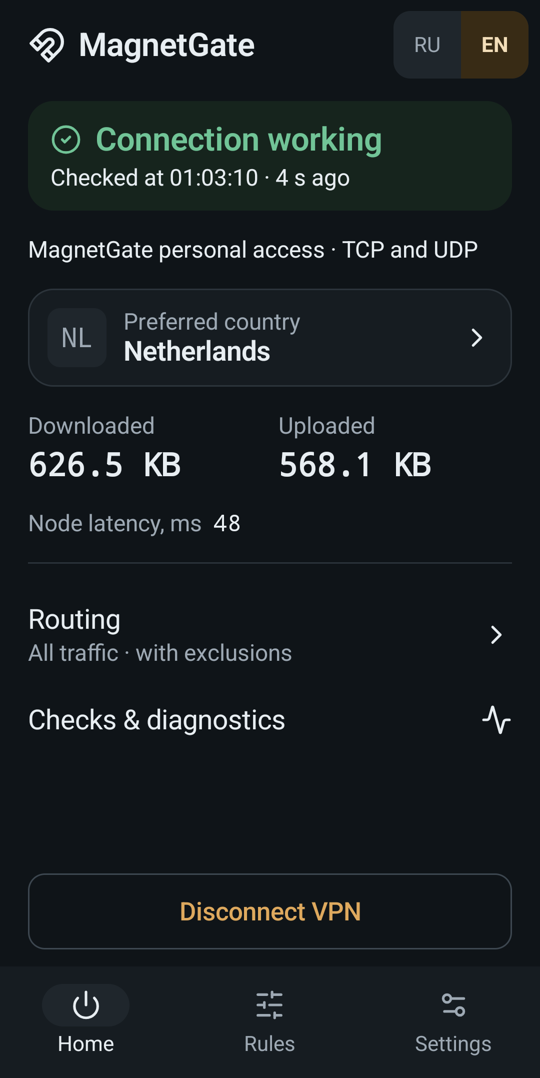
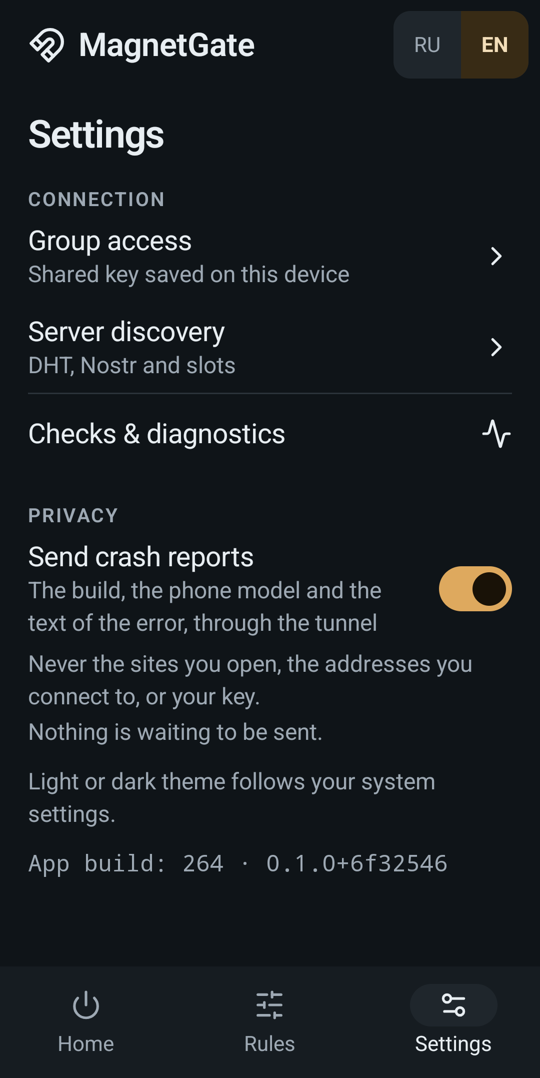
2. Open Group access. In Settings, tap Group access, the first item under Connection. Despite its name, this screen also holds personal access and payments.
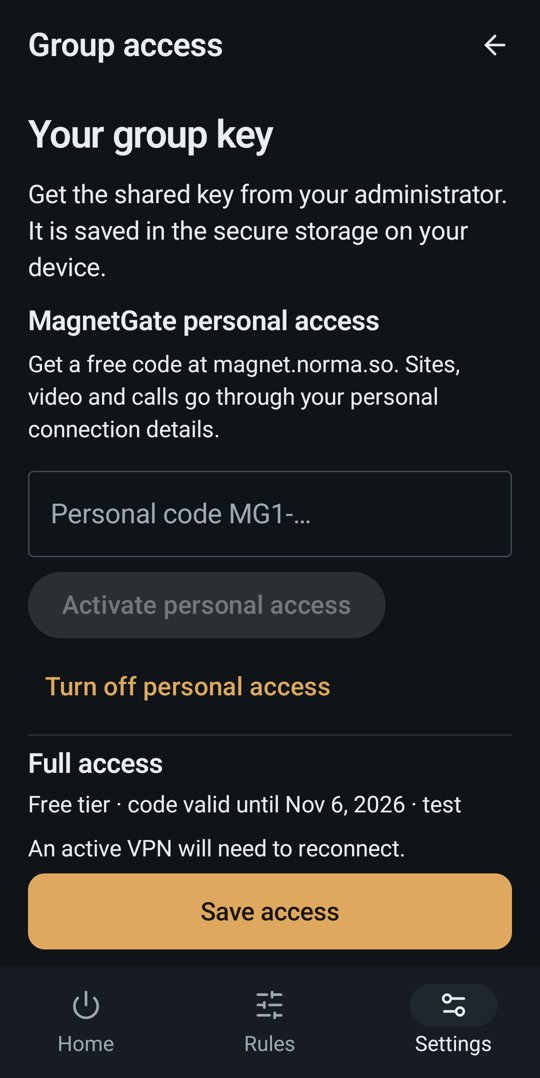
3. Activate your code (once). Paste your MG1-… code into Personal code and tap Activate personal access. Skip this if the button below it says Turn off personal access: your code is already active.
4. Scroll down to Full access. Below the personal-access buttons is the Full access block: your tier, how long the code is valid, your deposit address, Copy address, Check payment and the prices.
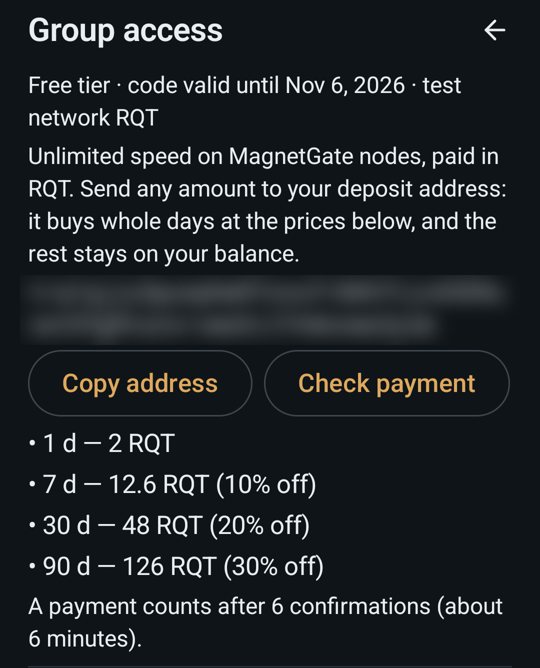
5. Pay. Tap Copy address, send RQT to it from a wallet, wait about 6 minutes, then come back and tap Check payment. The status changes to Full access until ….
6. Reconnect. Go back to the connection screen, disconnect and connect again to switch to the full-access listener.
Windows
Windows 0.3.5 and newer. The macOS app gets the same block in its next release.
1. Open Settings in the left menu.
2. Find MagnetGate personal access. Paste your code and click Activate personal access (once).
3. Full access appears right under the activation button with your deposit address, Copy address, Check payment and the prices.
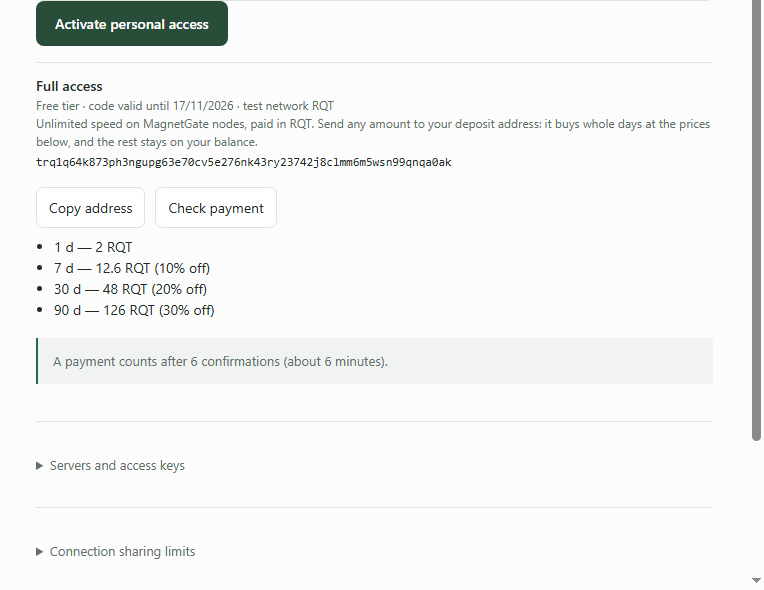
4. Pay, check, reconnect as on Android.
If something is missing
| You see | Why | What to do |
|---|---|---|
| No Full access block | no personal code is active, or the app is older than Windows 0.3.5 / Android build 264 | activate the code; update the app from magnet.norma.so |
| Still Free tier after paying | fewer than 6 confirmations yet | wait a few minutes and tap Check payment again |
| Full access until … but the speed is unchanged | the connection still uses the free listener | disconnect and connect again |
| Balance shown, no days | the amount was less than one day's price | send the rest; the balance counts towards the next day |
| Code expired | free codes last 7 days | get a new code on the website; a paid code lasts its paid days plus 7 |